In plain words
When you recite the Qurʼān to an app, you hand it something unusual: your voice, in a moment of worship. That deserves plain answers to three questions. When does the app listen? What does it send away? What does it keep?
This guide answers them for Qiraa, from the app’s own screens. In short: Qiraa asks before its AI listens to your voice, and you can say no and keep practising. With the AI Tutor on, your voice goes to Qiraa’s own servers to follow and check your reading, and the audio is not kept. The review clips you play back stay on your phone. And “Help improve Qiraa AI” — the one switch that keeps recordings, to train Qiraa — is off unless you turn it on, and never offered for a child.
We describe what the app does, not legal promises. Where a detail matters, we quote the words you will see.
The ask
Qiraa asks before its AI listens
Your phone will ask whether Qiraa may use the microphone. That is a different question from whether your voice may go to Qiraa’s servers, so Qiraa asks the second one itself — once, the first time you reach for something that needs it: the mic on the reading screen, a sitting in the Hifz trainer, the first-run walk, or Settings.
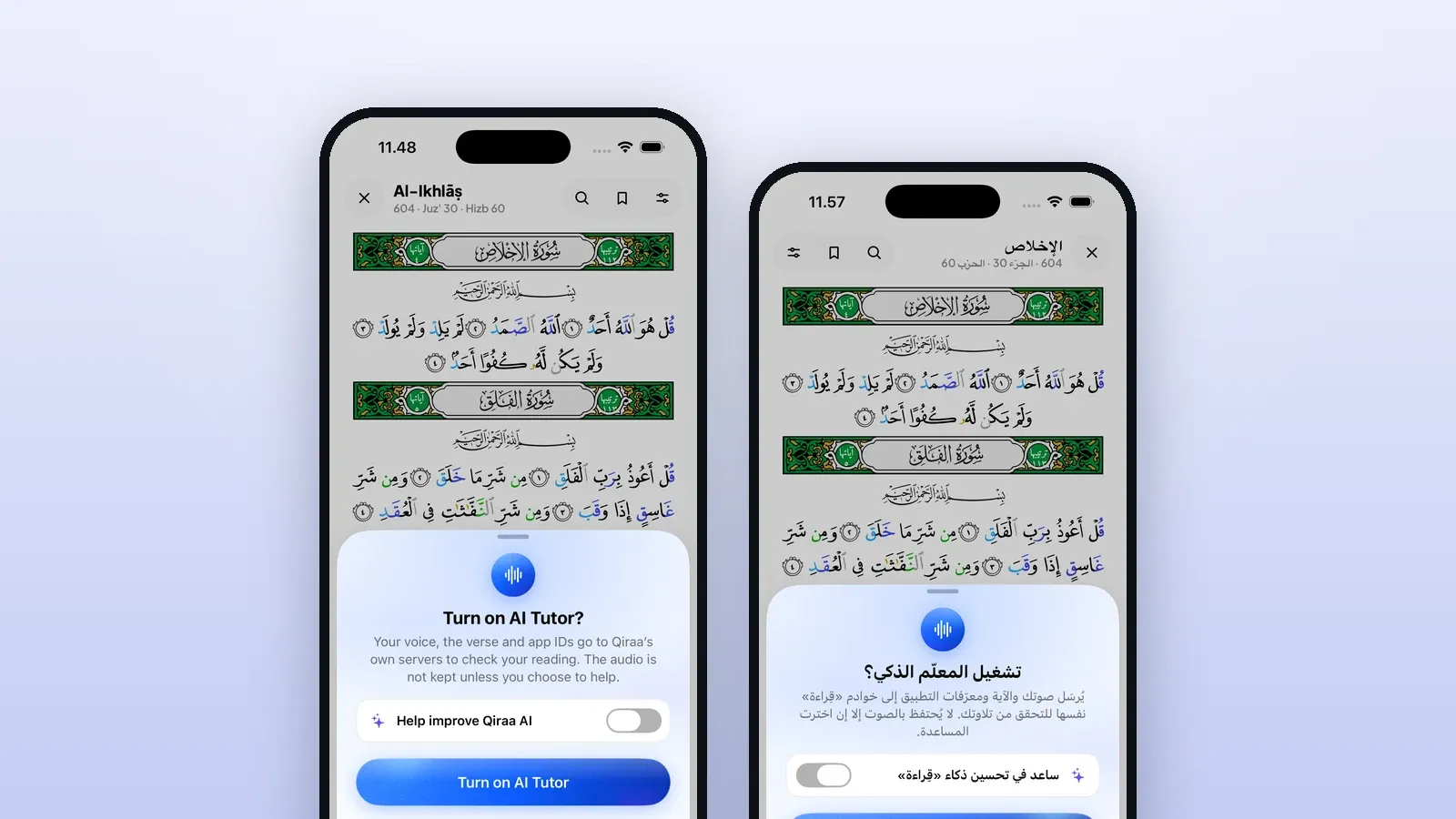
The ask is one short sheet:
- The title: “Turn on AI Tutor?”
- What it tells you: “Your voice, the verse and app IDs go to Qiraa’s own servers to check your reading. The audio is not kept unless you choose to help.”
- One big button, “Turn on AI Tutor”, and one small way out, “No AI for me”.
- One switch, “Help improve Qiraa AI”, with the line “Keep my recordings and app use to train Qiraa Q1.” It starts off.
- A foot line saying where to change your mind — “Change it anytime above the mic” on the reading screen, “Change it anytime in Settings” elsewhere — and “Details”.

The whole ask on one sheet. Help improve Qiraa AI starts off, and No AI for me is a real answer.
Nothing on the sheet is chosen for you, and it cannot be swiped away into an answer. You answer it, or nothing happens.
What “Details” says
The full text, titled “How your data is used”, is short and worth reading once. For the AI Tutor it says that while you recite, your voice, the verse you are reading, and your account, learner, device and session IDs go to Qiraa’s servers; that they are used only to follow and check your recitation; that the audio is processed and not kept; and that Qiraa keeps your feedback and short security and usage records. It ends with a request every reciter should take to heart: “Please don’t record another person’s voice.”
When it listens
When the AI Tutor listens, and what happens to your voice
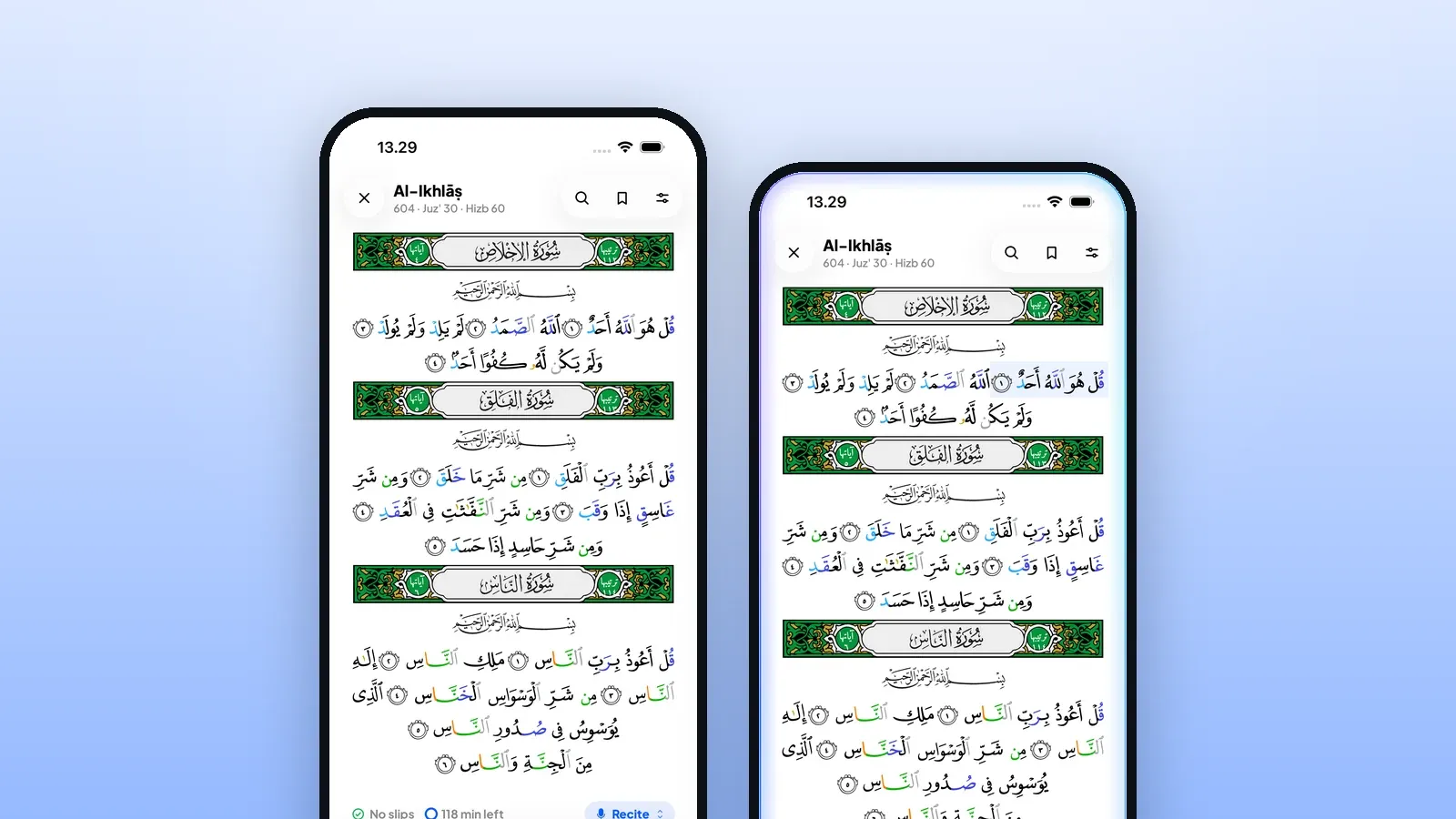
With the AI Tutor on, Qiraa listens while you recite — while the mic is open, and the open mic is red. Stop, or end the sitting, and the listening stops with it.
What travels is exactly what the ask named: your voice, the verse, and the IDs that tie a check to you and your session. On Qiraa’s servers the audio is used to follow your place and check your words, and then it is let go. The line under the AI Tutor switch in Settings repeats it: “The audio is not kept.”
Turning the AI Tutor off takes effect straight away. Qiraa switches it off on the phone first, so no new audio can leave even if the server cannot be reached at that moment, and then updates your account.
Without the AI
What works without the AI
Saying “No AI for me” does not take the Qurʼān away from you. Reading never needed the AI. Without it you still have:
- The muṣḥaf and its tools — the page, tajwīd colours, translations and tafsīr.
- Listen — a Sheikh reads and you follow.
- Recite on this phone. The mic still works; in the modes, Recite reads “On this phone · AI Tutor off”. Where your phone can run it, Qiraa follows your place on the device itself, and nothing leaves the phone. What it does not do is mark slips.
- The Hifz trainer and Test me. You still listen, repeat and recall. When nothing has checked a turn, the Hifz trainer says “Check it yourself this time” and asks “How did it go?” — Held, With help or Again. Test me asks “Did you say it?”
One feature has no on-device way: Identify, which finds an āyah from a few words you recite, needs the AI Tutor. If you have said no, it offers one line to turn it on rather than the whole sheet again.
And Qiraa will not nag you. After “No AI for me”, the automatic asks stay quiet for 30 days. Ask for it yourself, and it asks right away.
Changing your mind
If you said no and change your mind
A “no” should be as easy to undo as it was to give. Right after you say it, the reading screen tells you where to go: “Practising on this phone. Turn the AI Tutor on anytime from the line above the mic.” There are three ways back:
- The line above the mic. While the AI Tutor is off it reads “AI Tutor is off · Turn on”.
- The modes. Hold the mic and the modes rise; at their foot sits “Turn on AI Tutor”, with the line “Slips marked as you say them”.
- Settings › Privacy & your data, under “What may leave this phone”: the AI Tutor switch.

After a no, the way back stays in sight: the line above the mic reads AI Tutor is off · Turn on.
Each opens the same ask, with the same words, so nothing changes behind your back.
That Settings card is also where you turn things off. Its note reads: “All three are off until you turn them on, and turning one off again takes effect immediately.” The three are the AI Tutor, “Help improve Qiraa AI”, and a separate “Cloud pronunciation score” used in letter practice, which, in the app’s words, sends “a recording and its text” through Qiraa to Microsoft Azure Speech for a score; “The audio is not kept.”

Everything that may leave the phone, each with its own switch. Here the AI Tutor is on and Help improve Qiraa AI is off.
On your phone
What stays on your phone
Some things are kept on purpose — on your own device, where you can use them and delete them.
Review clips
Qiraa can keep your own clip of an āyah, so that on the word card you can hear yourself beside the qāriʾ. These clips live on your phone. In Settings › Privacy & your data, under “How long a review clip is kept”, you choose “30 days”, “90 days · Recommended” or “Forever”: “When the window passes, the audio is removed from this phone. Your mistake history and your progress are kept either way.” You can see the “Storage used”, and “Delete review recordings” clears them at once — “Only the playback goes.”
They are never backed up. Where backup lives, the app says: “Your voice recordings are never backed up — they stay on this device only.”
AI diagnostics
If the AI Tutor stops, the phone keeps a small record you can copy for support: “Kept on this device only — a time, a kind and a short reason, never audio or Qurʼān text.”
The line that sums it up
At the foot of the privacy page, Qiraa puts it in two sentences: “Qiraa keeps no recording of your recitation. The review clips on this phone are yours to delete, and no audio leaves the device until you turn a sharing setting on yourself.”
Help improve Qiraa AI
“Help improve Qiraa AI”: off, adults only, your choice
Qiraa’s listening improves by hearing real learners. But we will not take that from anyone who has not chosen to give it. So the one way your recitation can be kept is a switch that is off unless you turn it on. You will find it on the AI Tutor ask and in Settings › Privacy & your data.
Saying yes means, in the app’s own words, that Qiraa keeps your recitation recordings and what Qiraa Q1 heard and decided, plus how you use the app — sessions, screens, device model and app version. The Qiraa team uses them to train, test and improve Qiraa Q1, and only the Qiraa team can see them.
Three limits are built in:
- Adults only. It is never offered for a child learner; for a child, Settings says “Not offered for a child learner.”
- Signed in only. Recordings are kept only once you are signed in. Say yes before signing in, and the wish waits until you do.
- Easy to stop. Turn it off and it stops on the phone first, then on your account. To have data deleted, the app points you to privacy@qiraa.io, and deleting your account removes it too.
Saying no to it changes nothing about your practice: the AI Tutor checks your reading in exactly the same way, whichever you choose.
Children and families
Children and families
In a family, Qiraa treats every learner other than the household’s parent as a child, unless their age says they are an adult. For a child, the rules are stricter:
- A parent or guardian answers first. Before a child’s choice can change, the app says: “A parent or guardian must unlock before changing this learner’s audio-sharing choice.” With a parent PIN set, the PIN is asked; without one, a parent or guardian confirms.
- Never used for training. A child never sees the Help improve switch, and the ask a child sees says: “The audio is not kept and is never used to train Qiraa.”
- Checking can be turned off. In the Family area each learner has a “Recitation checking” switch. When a parent turns it off, the child sees: “Recitation checking is off for this learner. A parent can turn it on in the Family area.”
- Recordings stay home. When someone joins a family from an invitation, they are told the family owner will see their learning progress — “and your recordings always stay on your device.”

For a child there is no Help improve switch, and the ask says so plainly: the audio is not kept and is never used to train Qiraa.
An adult on their own phone, with no parent PIN set, is their own guardian, so the parent step folds into the ask: “Turn on AI Tutor” is both the confirmation and the choice.
Questions to ask
Questions to ask any app you recite to
Whatever you use, these are fair questions. A good app answers them on its own screens, not only in a policy.
- Does it ask before its AI hears me? A microphone permission is not that question.
- Can I say no and still practise? Saying no should never take the Qurʼān away from you.
- Where does my voice go, and is it kept? “Processed and not kept” and “kept to train” are very different answers.
- Is training on my voice off unless I turn it on? And is it ever done with a child’s voice?
- What stays on my phone, and can I delete it myself? Look for a setting, not only an email address.
- How do I change my mind? The way back should be as short as the way in.
- Who decides for my children? And can a parent turn listening off?
And one for ourselves, as reciters: a recording of someone else’s recitation is theirs. Ask before you record a teacher, a friend or a child.
Questions
Questions about your voice and Qiraa
Does Qiraa record my recitation?
Qiraa’s production service keeps no recording of your recitation. With the AI Tutor on, your voice goes to Qiraa’s own servers to follow and check your reading, and the audio is not kept. Review clips you can play back stay on your phone, for as long as you choose. A recording is kept only if a signed-in adult turns on “Help improve Qiraa AI”.
Can I use Qiraa without the AI?
Yes. Tap “No AI for me” and you keep the muṣḥaf, Listen, translations and tafsīr, and you can still recite on your phone, where Qiraa follows your place if your phone can run it. What you lose is slips marked as you say them, and Identify, which needs the AI Tutor.
What does “Help improve Qiraa AI” do?
It is off unless you turn it on. If you do, Qiraa keeps your recitation recordings, what Qiraa Q1 heard and decided, and how you use the app, so the Qiraa team can train, test and improve Qiraa Q1. Only the Qiraa team can see them. Recordings are kept only once you are signed in, and never for a child.
I tapped “No AI for me”. How do I turn the AI Tutor on later?
On the reading screen, tap “Turn on” in the line above the mic, which reads “AI Tutor is off”, or hold the mic and choose “Turn on AI Tutor” at the foot of the modes. You can also use Settings › Privacy & your data › AI Tutor. Each opens the same short ask.
Is my child’s voice used to train Qiraa?
No. The Help improve switch is never offered for a child learner, and the ask a child sees says the audio is not kept and is never used to train Qiraa. A parent or guardian answers the AI Tutor question for a child first, and can turn recitation checking off for that learner in the Family area.
How do I delete my recordings?
In Settings › Privacy & your data, “Delete review recordings” removes the review clips on your phone; your mistake history and progress stay. You can also choose to keep clips for 30 days, 90 days or forever. For anything kept on Qiraa’s side, the app points you to privacy@qiraa.io, and deleting your account removes it too.